
Modernize
Your Crime Scene
Process
Complete digital capture of every activity at the scene — not just evidence. Real-time supervisor oversight, one-click reports, and direct lab submission. No double entry. No callbacks because something was missed.
Most CSI workflows are stitched together
from five different systems
The average crime scene unit runs multiple disconnected tools — each requiring separate logins, separate data entry, and manual handoffs between them. The result is wasted time, transcription errors, and cases delayed by administrative overhead.
Before CrimePad — Fragmented
With CrimePad — One System
CrimePad
Everything your crime scene unit needs,
built into one platform
CrimePad isn't a single-feature tool bolted onto your existing stack. It replaces the entire workflow — from the first call to the final lab submission.
Complete Scene Capture
Log every technique performed, every finding, and every negative result — not just evidence items. The most thorough digital scene record in public safety software.
QA Before You Leave
Built-in pre-departure scene validation flags incomplete data before your team packs up — dramatically reducing unnecessary return trips to the scene.
One-Click Reports
Every form filled in the field feeds the final report automatically. No retyping, no re-entry. Generate your final scene report in seconds, not hours.
Real-Time Supervisor Oversight
Supervisors see every CSI's live activity from anywhere — who is where, what's been collected, what's still open. No calls, no status meetings needed.
Digital Chain of Custody
Custody begins at the scene. Every handoff is verified by secure password or one-time code, creating a court-ready audit trail from collection to lab.
Sketch & Annotation Tools
Create scene sketches directly in the app, annotate photographs, and upload 3D scans — all linked to the case and instantly shareable with investigators.
Lab & RMS Integration
Push directly to your LIMS, RMS, and other agency systems. No manual re-entry. Evidence numbers and barcodes flow back automatically.
Instant Sharing with Investigators
Investigators see evidence, photos, and findings as they are logged — not after the scene is wrapped and reports are written. Real-time intelligence, in real time.
Log everything that happened —
not just what was found
Most systems only track evidence items. CrimePad captures the full scope of CSI activity: every technique performed, every area processed, every negative result documented. This is the difference between a scene record and a complete forensic account.
- All processing techniques with materials used, results, and area processed
- Negative results documented — areas processed that yielded nothing are just as important
- Bloodstain pattern analysis, latent prints, shooting reconstruction, UAS — all captured in structured forms
- Scene observations, notes, and final narratives tied directly to the scene record
- Works fully offline — sync happens automatically when connectivity is restored
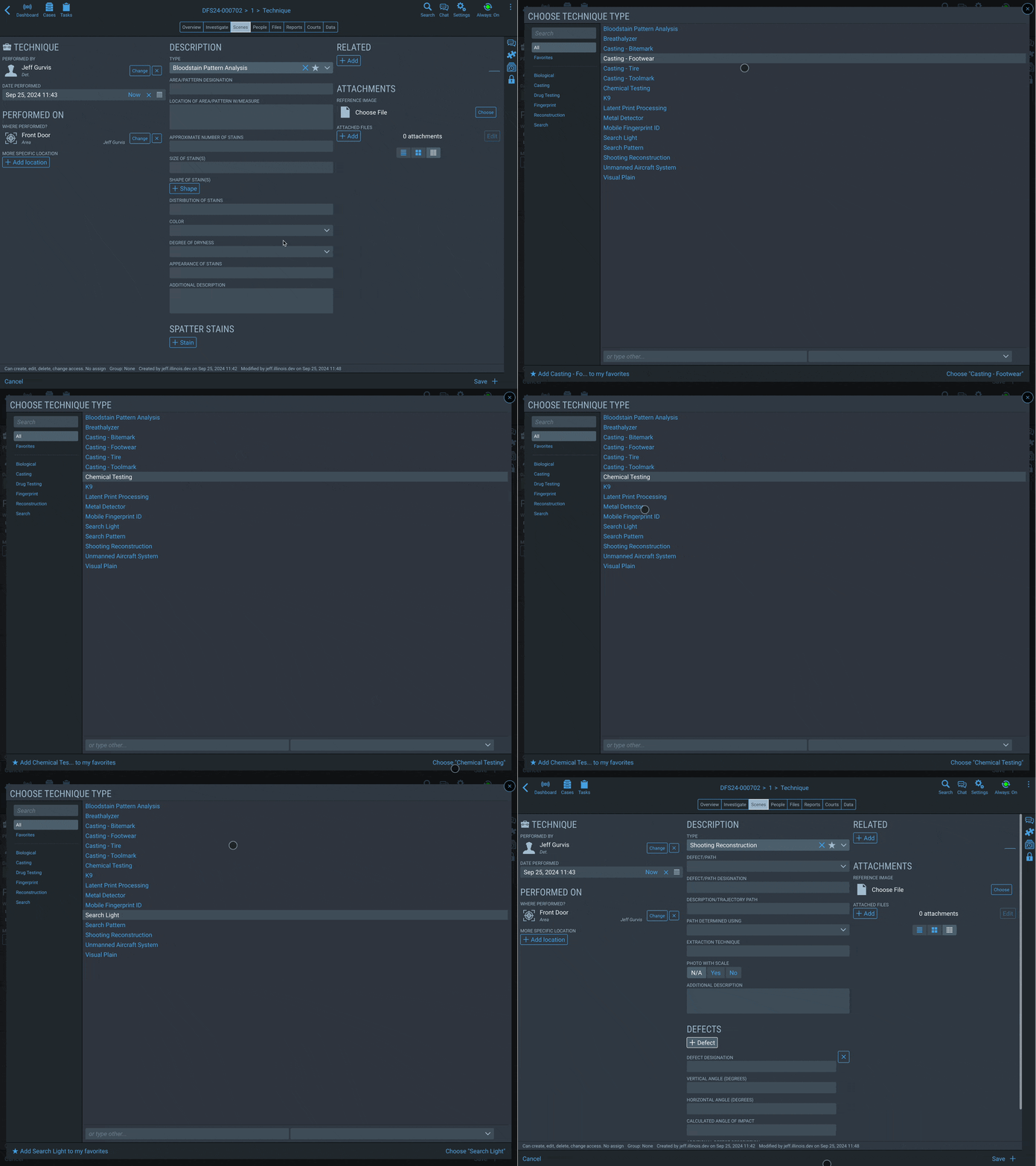
Know your scene is complete
before you pack up
A forgotten field or an incomplete form doesn't get caught until report review — days later. CrimePad's built-in QA check validates the entire scene record before the team leaves, surfacing every gap while the scene is still available.
- Required field validation runs across all scene sections before close-out
- Flags incomplete evidence records, missing technique results, and unsigned custody entries
- Tech and admin review checklists built into the approval workflow
- Eliminates the most common reason for unnecessary return trips to a scene
- Supervisors can trigger and review QA status remotely in real time
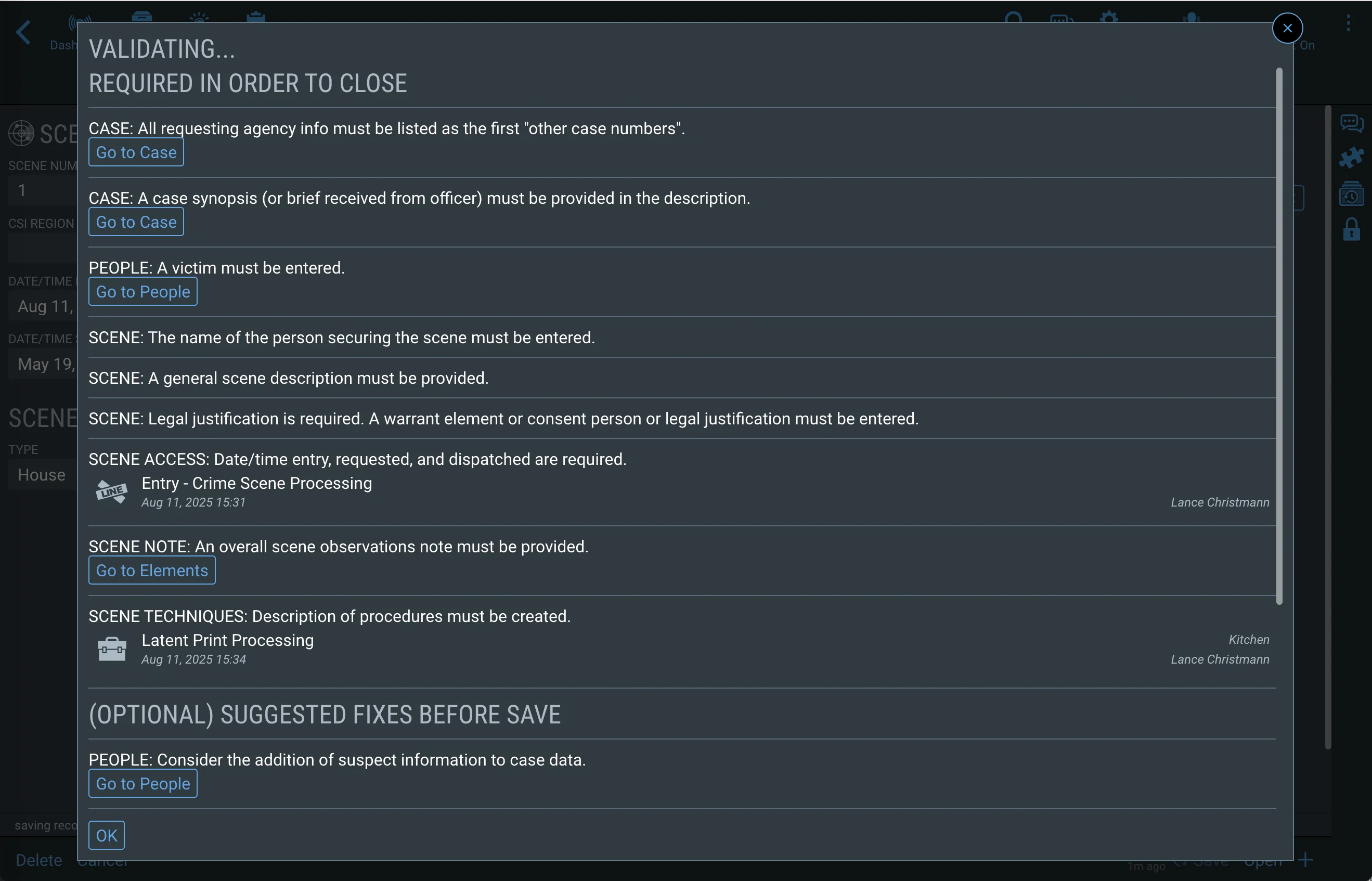
Custody starts at the scene.
Court-ready from day one.
CrimePad's evidence module presents only the fields relevant to the type of evidence being logged — keeping data entry fast while ensuring nothing is missed. Custody tracking begins the moment an item is collected.
- Type-specific forms — firearms, currency, biological, digital, kits, and more
- Chain of custody begins on scene — every handoff is digitally signed
- Recipients verify transfer by secure password or one-time email code
- Print evidence and latent labels on scene — barcodes included for lab scanning
- Full custody history accessible from any device, at any time
- RMS and LIMS barcodes retrieved and printed without re-entry
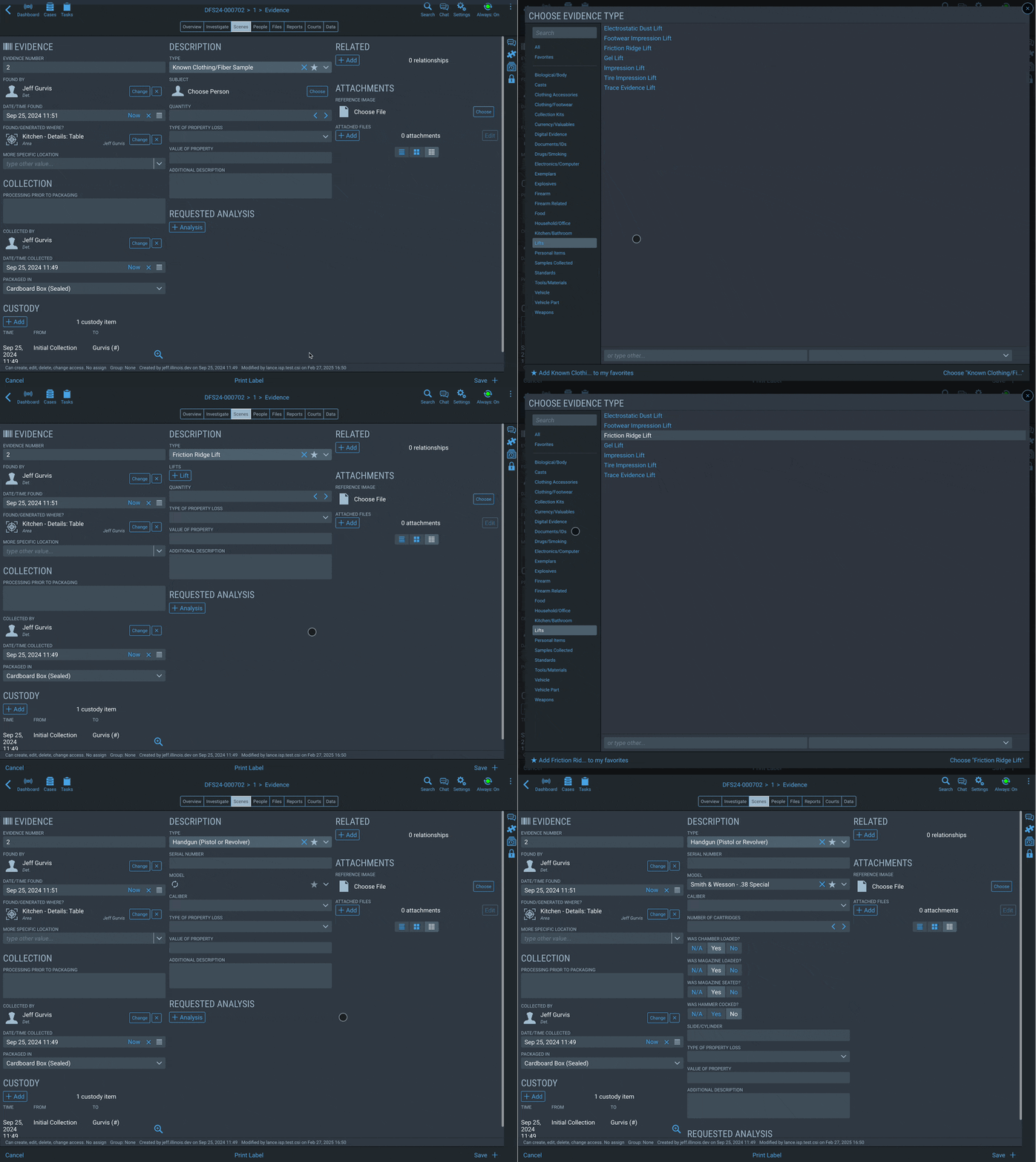
Purpose-built forms for every
type of forensic work
Other platforms offer generic note fields. CrimePad has dedicated, structured forms for each specialized discipline — so your data is consistent, complete, and court-ready.
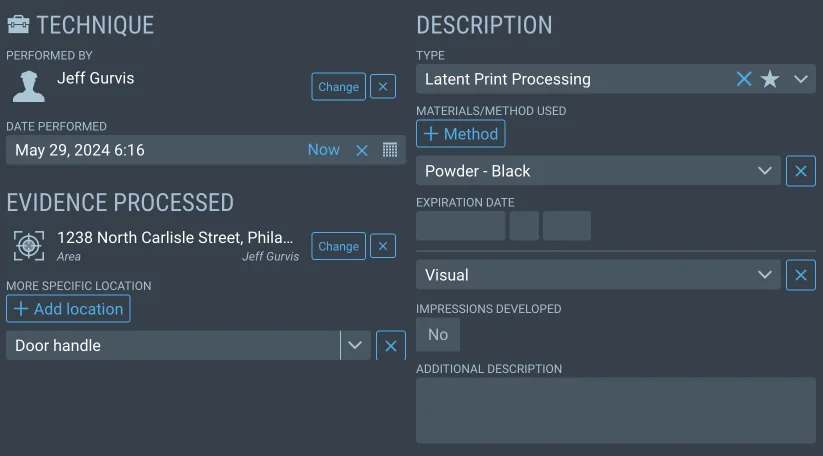
Latent Prints
Record every area processed for prints — including areas that yielded nothing. Log each lift with location, number, and technique. Print lift labels instantly.
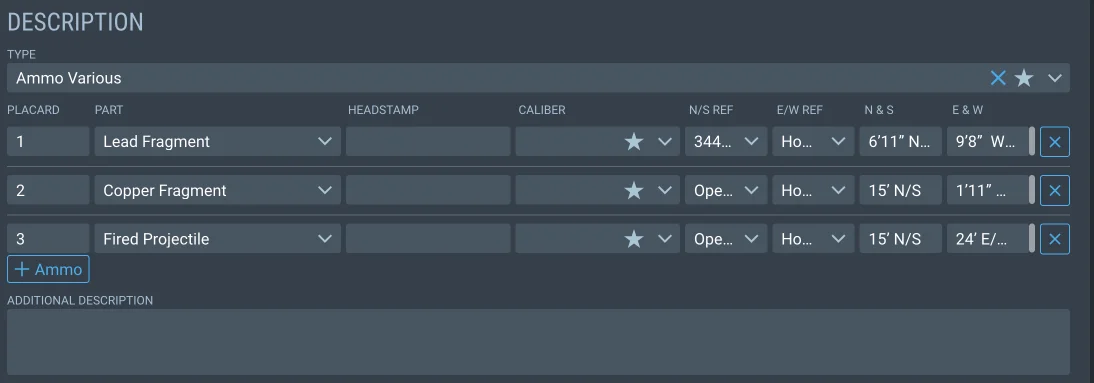
Ballistics
Document every defect, casing, cartridge, and projectile. Record angles, trajectories, and locations for complete shooting reconstruction.
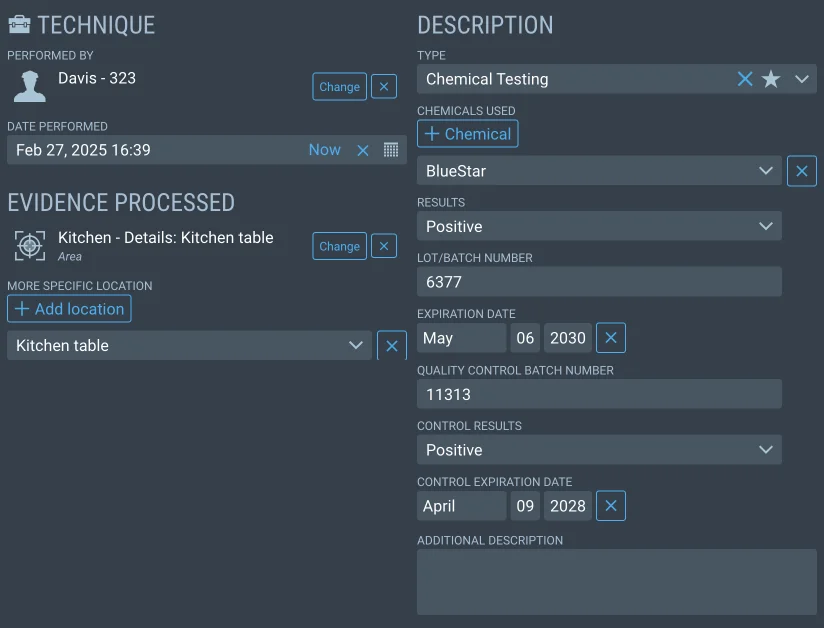
DNA & Chemical Testing
Document all chemical tests performed — chemicals used, controls, results. Track every swab by location, number, and type. Maintains lab-grade records.
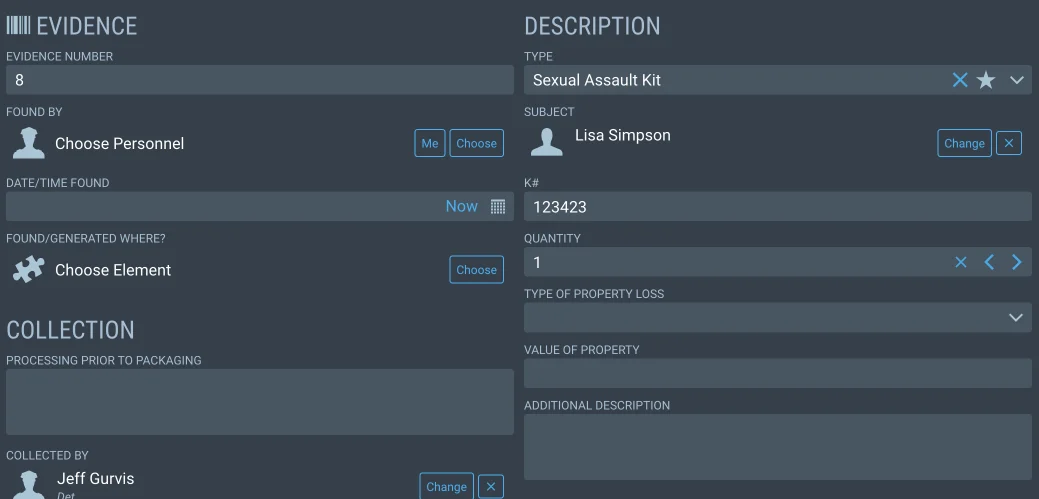
Kits
Track and inventory every kit used at scene. Sexual Assault, GSR, Postmortem, Blood & Urine — all catalogued for easy custody retrieval.
Every visual record,
organized and shareable
CrimePad stores all visual documentation in context with the scene — not on someone's phone or in a separate file share. Investigators, prosecutors, and lab personnel can review media as it's captured, not after the fact.
- In-app sketch tool — draw directly on your device with scene measurements and annotations
- Upload physical sketches and any 3D scan files for centralized storage
- Photographs are tagged to scene areas, evidence items, and techniques automatically
- No storage limits — scale from hundreds to tens of thousands of files per case
- Securely share any media externally with a time-limited, one-time access link
- Full audit trail on every external view and download

Organize and oversee
every CSI in real time
Large scenes require large coordination. CrimePad lets supervisors assign personnel to specific areas or specific techniques, monitor progress in real time, and make staffing adjustments without a single phone call.
- Assign CSIs to scene areas or disciplines — latents team, ballistics, body exam, etc.
- Supervisors see every team member's live activity as it is logged in the field
- Investigators can monitor scene progress from anywhere — no waiting for wrap-up briefings
- Critical findings are immediately visible to the entire team the moment they are entered
- From simple single-person scenes to complex multi-area, multi-team operations

Reports generated in seconds.
Approved without the back-and-forth.
Because every field is captured in structured form at the time of activity, CrimePad assembles your final reports automatically. One click. Your agency's own Word template. No retyping anything that was already recorded.
- One-click generation — all scene data flows into your report format automatically
- Use your own custom Word templates with your headers, logos, and formatting
- Multi-step approval — tech review, admin review, supervisor sign-off
- Approvers reject with comments; creators fix and resubmit — no email chains
- Share final reports externally with attorneys or other agencies via secure, verified link
- Full audit trail on all approvals, rejections, and external access

Investigators see evidence
as it is collected — not after
The moment a photograph is uploaded or a finding is logged, it is immediately visible to every investigator assigned to the case. No waiting for the scene to wrap. No emailing photos. No shared drives. Real-time intelligence from the scene to the precinct.
- Photos, video, and body-cam footage all stored in one place, organized by scene
- Investigators canvassing or interviewing witnesses have scene photos in real time
- Secure external sharing — time-limited access links with identity verification
- Every external view and download is logged in a full audit trail
- Share individual files or entire evidence packages for discovery or cross-agency collaboration
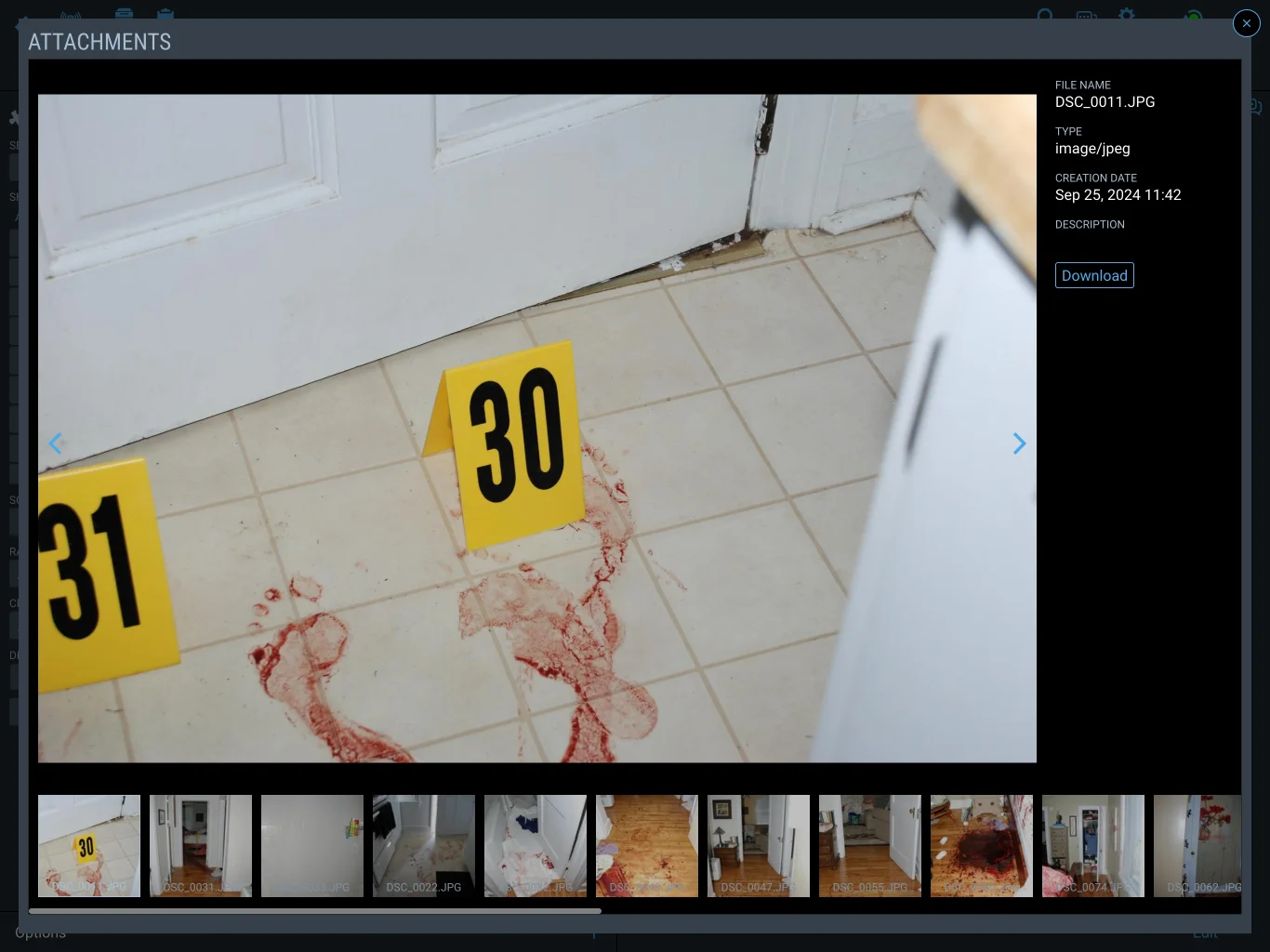
Every method your CSI team uses —
documented in full
CrimePad includes dedicated structured entry for every common forensic processing technique. Not free-text notes — structured, searchable, court-ready records.
Don't see a technique your unit uses? CrimePad is built on a configurable system — we'll add it to your deployment.
Six systems.
One workflow.
No double entry.
This is a real customer's workflow before CrimePad. All six steps — and everything captured in each one — now happen in a single, seamless system. The same data entered once flows everywhere it needs to go: the scene record, the report, the lab, and the investigator.
Built for the
Intelligence Era
As artificial intelligence comes to law enforcement, the agencies that benefit most won't just have data — they'll have it organized the right way. CrimePad has been built that way from the start.
Every Element.
Every Detail. Captured.
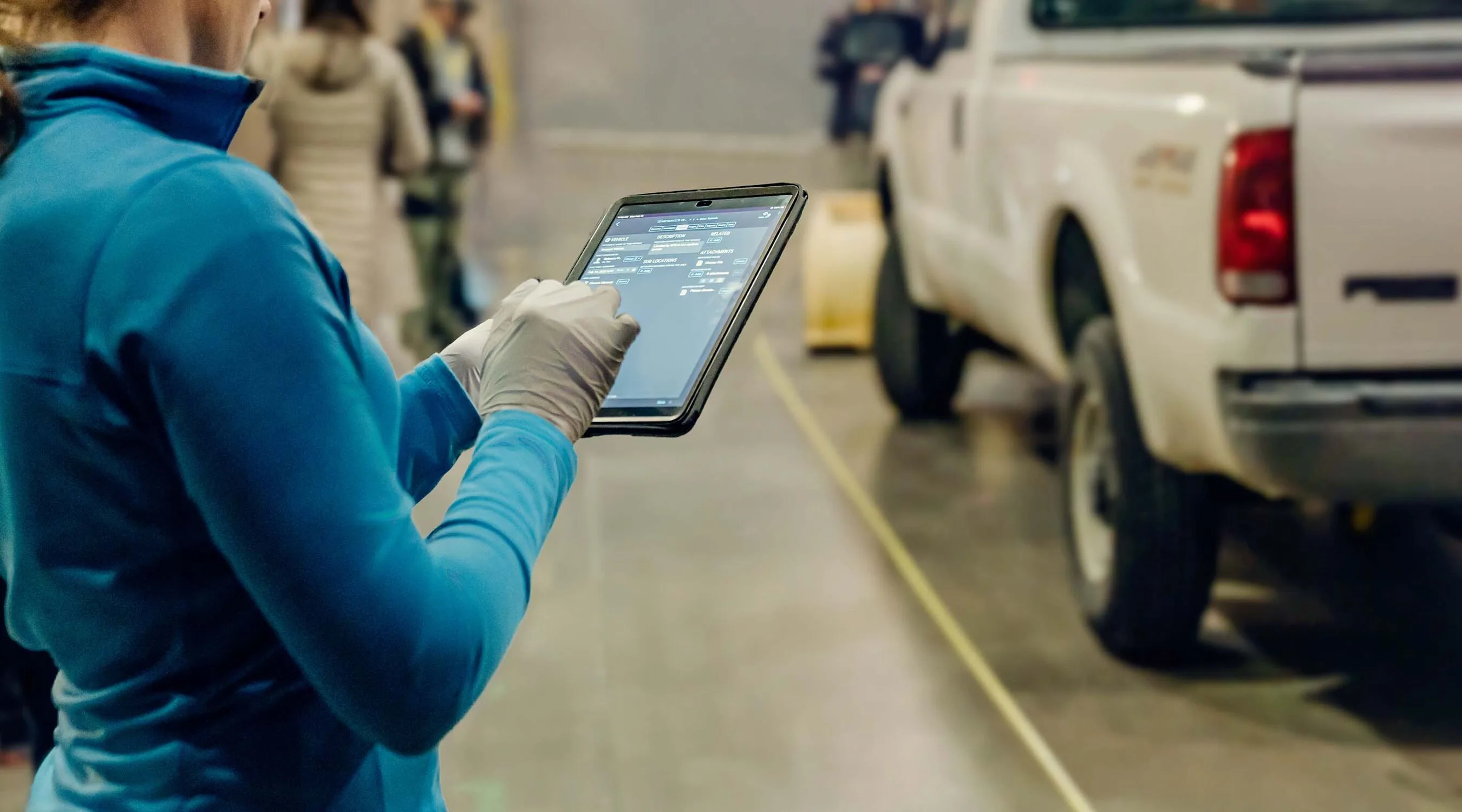
From vehicles to victims, structures to trace evidence — CrimePad documents every element of the scene in a structured, searchable record. Gloves on, evidence numbered, nothing missed.
Ready to modernize your
crime scene workflow?
Book a free one-hour demo with our team. We'll walk through your current workflow, show you exactly how CrimePad handles it, and answer every technical question your unit has.
No commitment required. Demos are 60 minutes and include your entire CSI leadership team.